
-p-1080.webp)






Stop Guessing And Start Growing With Google Keyword Planner
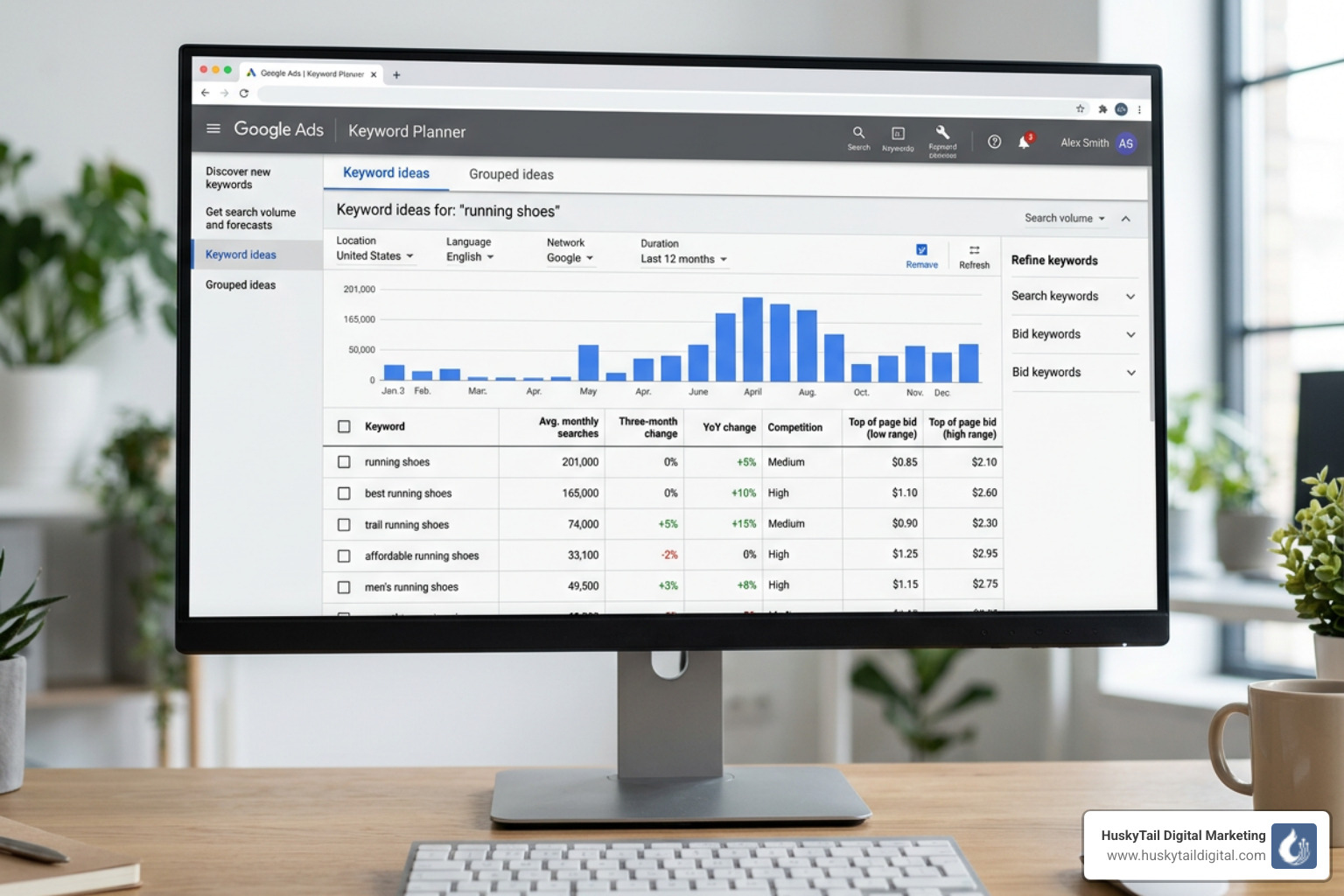
Why Google Keyword Planner Is The Starting Point For Smarter Search Campaigns
Google Keyword Planner is a free keyword research tool built into Google Ads that helps you find the right search terms, estimate monthly search volumes, understand competition levels, and plan budgets for paid search campaigns — all in one place.
Here's what it does at a glance:
- Find new keywords — Enter words, phrases, or a website URL to generate keyword ideas
- See search volume data — Understand how often people search for specific terms each month
- Analyze competition — Know how many advertisers are bidding on each keyword
- Get bid estimates — See suggested cost-per-click (CPC) to plan your ad budget
- Build campaign plans — Save keywords and forecast clicks, impressions, and conversions
Google processes over 3.5 billion searches every single day. That's 3.5 billion moments where someone is looking for exactly what your business offers — or something close to it.
But here's the problem most business owners face: they guess at keywords.
They pick terms that feel right. They assume they know what their customers are searching for. And then they wonder why their ads don't convert, or why their content never ranks.
That guessing is expensive. And it's completely avoidable.
Whether you're running paid ads or building an organic content strategy, knowing exactly what your audience searches for — and how often — changes everything. It shifts you from reacting to competing with real data.
That's precisely where Google Keyword Planner earns its place in every serious digital marketing strategy.
I'm Stephen Gardner, founder of HuskyTail Digital Marketing, and over 20 years of running SEO and PPC campaigns — including keyword-driven strategies that have doubled client traffic in under 90 days — I've used Google Keyword Planner as a foundational tool to uncover high-intent search opportunities and eliminate wasted ad spend. Let's break down exactly how it works and how to get the most out of it.
Getting Started With Google Keyword Planner
Before we dive into the data, we need to get you through the front door. Accessing google keyword planner is slightly different than using a standard search engine. Because it is housed within the Google Ads ecosystem, there are a few prerequisites.
First, you must have a Google Ads account. If you don't have one, you can Start now. While the tool is technically free, Google typically requires you to set up a campaign and enter billing details before granting full access to the planner. Don't worry—you don't actually have to run an active, spending campaign to use the tool, but the billing hurdle is a common point of confusion for beginners.
Switching to Expert Mode
When you first sign up, Google might place you in "Smart Mode," which is a simplified version of the platform. To find the google keyword planner, you’ll need to switch to Expert Mode.
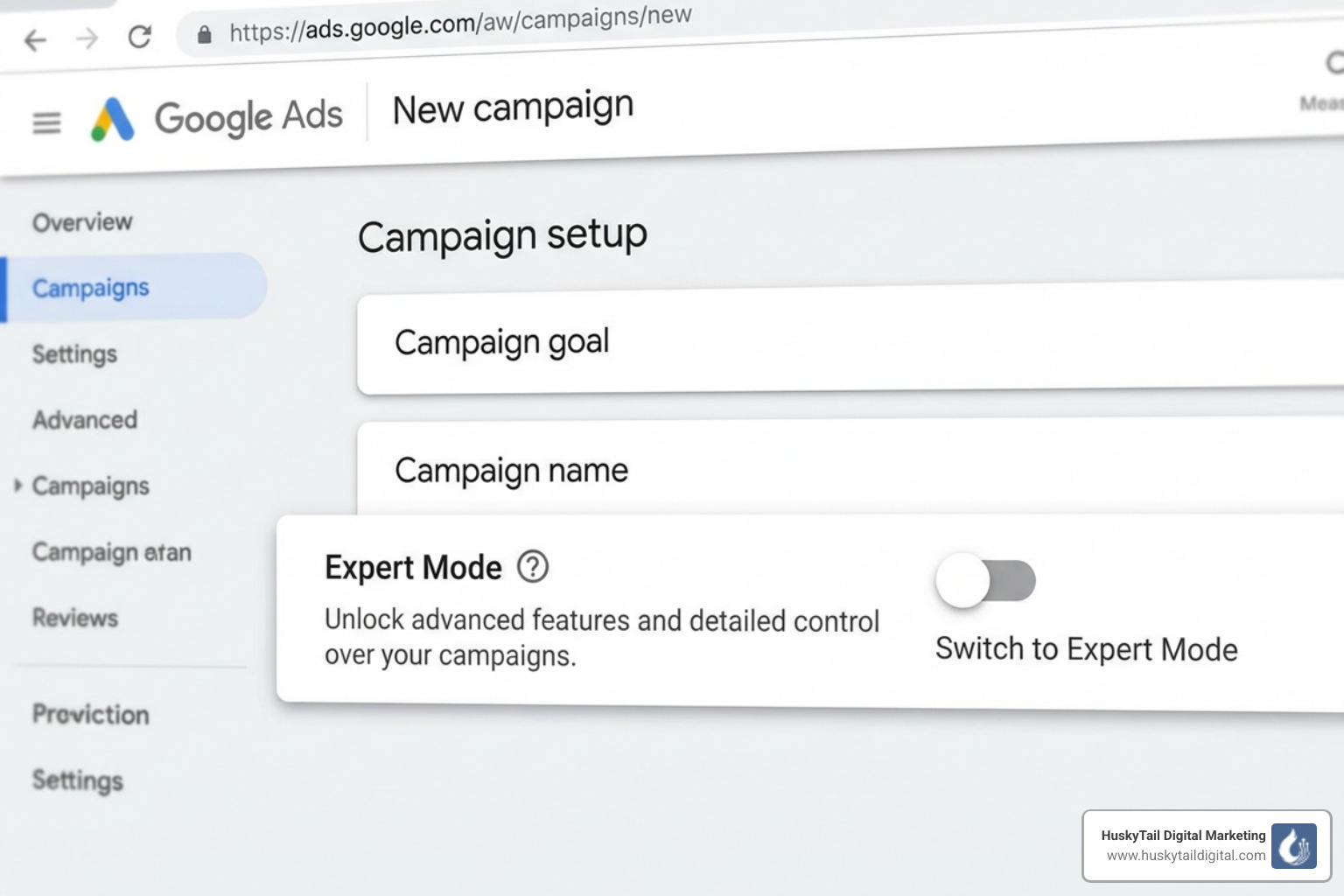
You can check if you're in the right place by looking for the "Tools" icon (the wrench) in the top navigation bar. If it's missing, you're likely in Smart Mode. Once in Expert Mode, click "Tools & Settings," then navigate to the "Planning" section to find the Use Keyword Planner page.
For those of us focusing on the long game, integrating this data with a Technical SEO Complete Guide is essential. Keyword research tells you what to write, but technical SEO ensures Google can actually find and rank that content.
Core Features: Discovering And Analyzing Keywords
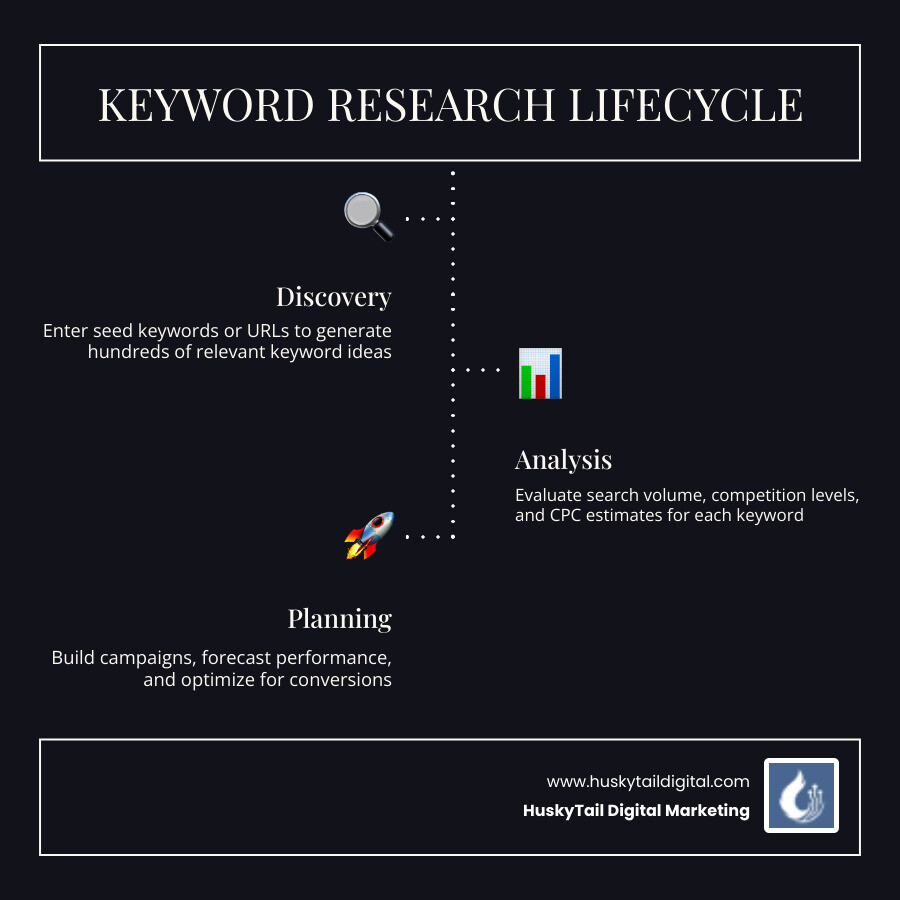
Once you’re inside, you’ll be presented with two main paths: "Discover new keywords" and "Get search volume and forecasts." Most of our research starts with discovery.
Discover New Keywords
This is the "brainstorming" engine. You can start in two ways:
- Start with Keywords: Enter up to 10 products or services related to your business. For example, if you run an auto repair shop in Chicago, you might enter "brake repair," "oil change," and "transmission service."
- Start with a Website: This is a fantastic "spy" tactic. Enter a competitor’s URL, and Google will crawl that page to suggest keywords they are currently targeting.
Targeting and Filtering
To get the most accurate data, you must refine your settings. If you are a local business in Atlanta, Houston, or New York, you don't want global search data. You can filter by:
- Location: Target specific cities, states, or countries.
- Language: Ensure you’re reaching your audience in the language they speak.
- Search Networks: Choose between Google only or Google and search partners.
Before you start building content around these terms, we recommend a thorough SEO Audits Complete Guide to see how your current site stacks up against these new opportunities.
Generating Ideas with Google Keyword Planner
One of the biggest mistakes we see is businesses chasing "head terms"—broad, single-word keywords with massive volume. For instance, "auto repair" might have 246,000 monthly searches, but it’s incredibly competitive and vague.
Instead, we look for long-tail keywords. These are longer, more specific phrases that account for roughly 70% of all search traffic. A term like "auto repair Chicago" may only have 390 searches, but the person typing that is much closer to making a purchase.
Best Practices for Discovery:
- Use Negative Keywords: If you sell luxury watches, add "cheap" or "free" as negative keywords to filter out irrelevant suggestions.
- Look for Questions: Filter your results to show "how," "why," or "where" to find informational keywords perfect for blog posts.
- Check Trends: The tool shows a 3-month change and year-over-year growth, helping you spot rising stars before your competitors do. For more tips, visit the Best practices for finding new keywords page.
Understanding Metrics in Google Keyword Planner
The data table can be overwhelming at first. Here are the key metrics we focus on at HuskyTail Digital Marketing:
- Avg. Monthly Searches: The average number of times people searched for this exact term and its close variations based on the month range and location settings you selected.
- Competition: This isn't how hard it is to rank organically (SEO); it's how many advertisers are bidding on that keyword. It’s rated as Low, Medium, or High.
- Top of Page Bid (Low/High Range): This shows what other advertisers have historically paid for a top-of-page position. This is a great proxy for how "valuable" a keyword is—if people are paying $10 a click, that keyword likely leads to sales!
- Ad Impression Share: This helps you understand how much "room" there is to grow in a specific market.
Advanced Planning: Forecasts And Budgeting
If you already have a list of keywords and want to see how they might perform in a real-world campaign, the "Get search volume and forecasts" tool is your best friend.
This feature allows you to upload a CSV or paste a list to see projected results. Google uses historical data from the last 7–10 days, adjusted for seasonality, to give you a glimpse into the future.
What’s included in a forecast?
- Clicks and Impressions: How many times your ad might be seen and clicked.
- Cost and CTR: Your estimated total spend and click-through rate.
- Performance Multipliers: Forecasts can be adjusted based on your specific bid and budget.
Google Keyword Planner vs. Other Advanced Keyword Research Tools
While google keyword planner is the gold standard for PPC data, it does have limitations for SEO. For example, Google often groups similar keywords together, showing the same search volume for "running shoes" and "shoes for running." Third-party tools like SEMrush or Ahrefs often provide more granular, "de-grouped" data.
Furthermore, google keyword planner provides search volume in ranges (like 1k–10k) unless you are actively spending money on ads. Advanced SEO tools provide exact numbers and a "Keyword Difficulty" score specifically for organic search, which Google’s tool lacks.
When conducting a deep dive, we often use SEO Technical Audit Tools alongside the planner to get a 360-degree view of the landscape.
Frequently Asked Questions About Keyword Research
Is Google Keyword Planner free to use?
Yes, the tool itself is free. However, you must have a Google Ads account. While you need to enter billing information and create an initial campaign, you can pause that campaign immediately to avoid spending money while you perform your research.
How accurate is the search volume data?
The data is based on Google's own historical search records, making it highly reliable. However, the numbers are averages. Seasonality (like "retail clothing" searches peaking at 8M in summer and dropping to 2M in winter) and sudden market changes can cause actual performance to vary.
Can I use Keyword Planner for SEO instead of PPC?
Absolutely! We use it constantly to gauge interest in specific topics. If a keyword has a high "Top of Page Bid," it means it’s a high-value term. Even if you don't want to pay for the click, that’s a signal that you should probably be writing an SEO-optimized blog post about it.
Conclusion
Stop guessing. Whether you’re a local dentist in Phoenix or a national e-commerce brand, google keyword planner is the bridge between "I think people want this" and "I know they do."
At HuskyTail Digital Marketing, we combine these data-backed insights with our AI-powered SEO strategies to ensure our clients don't just participate in the search results—they dominate them. We believe in transparency, data, and giving back. Through our Hearts for Huskies initiative, a portion of our success goes toward supporting husky rescues across the country.
Ready to see what the data says about your business? Let us help you lead the way. At HuskyTail Digital Marketing - We Don't Follow the Pack, We Lead the Herd. Explore our SEO services today and let's start growing together.


.avif)

.webp)
.avif)


